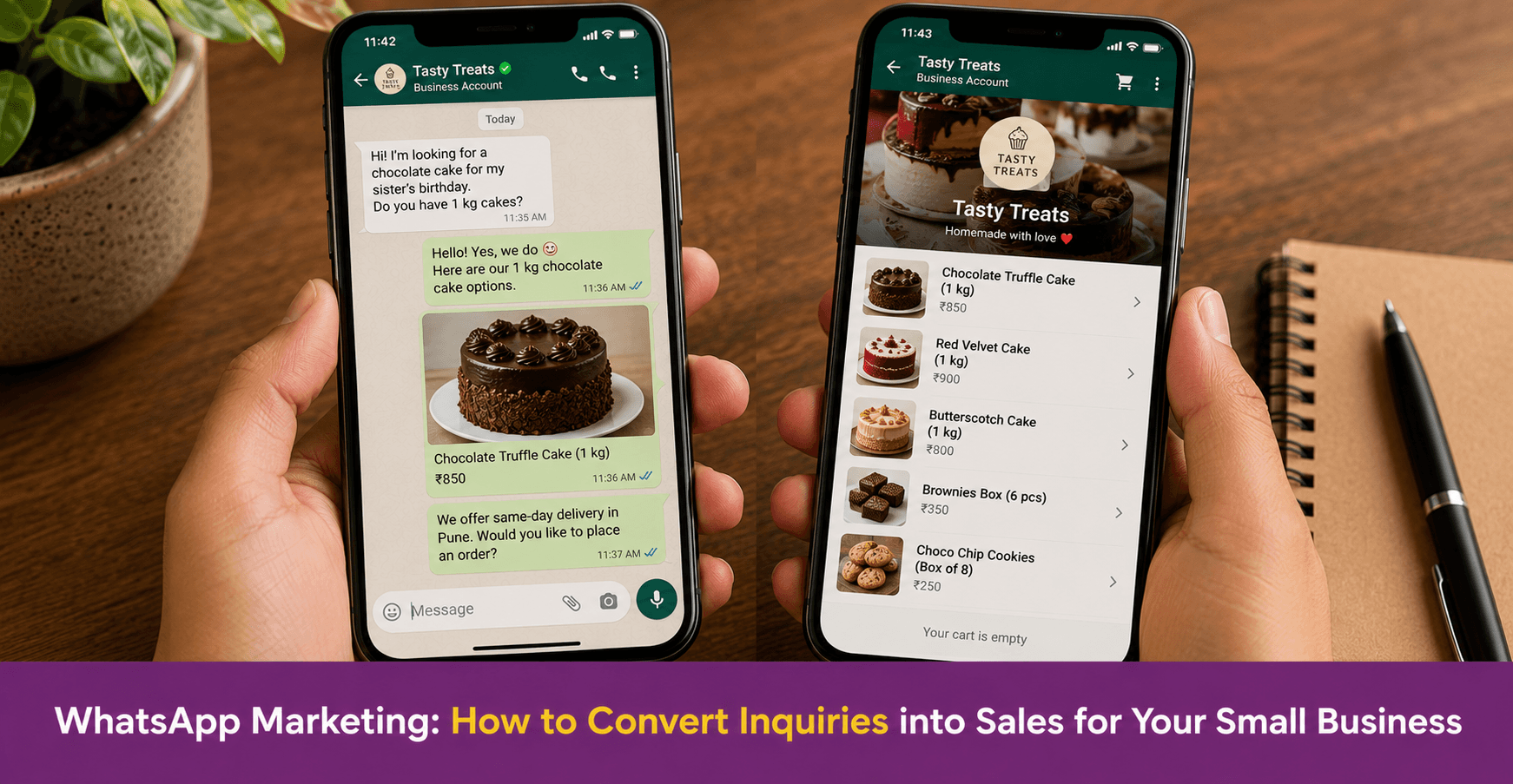
WhatsApp Marketing: How to Convert Inquiries into Sales for Your Small Business
WhatsApp marketing is the use of WhatsApp Business to reach customers, answer inquiries, share product information, and close sales — all within a platform your customers already use daily. For small businesses in India, WhatsApp is often the highest-converting sales channel available, because conversations happen in real time and the relationship feels personal. However, most small businesses lose sales on WhatsApp not because of poor products, but because of slow replies, unclear pricing, and no follow-up after the first conversation. This guide covers how to fix each of these and convert more inquiries into paying customers.
Key Takeaways
- WhatsApp marketing works because it combines the reach of a broadcast channel with the intimacy of a personal conversation — customers feel they are talking to the business directly, not reading an advertisement
- The most common reason WhatsApp inquiries do not convert is response time. A reply within 5 minutes of an inquiry is significantly more likely to result in a sale than one that comes hours later
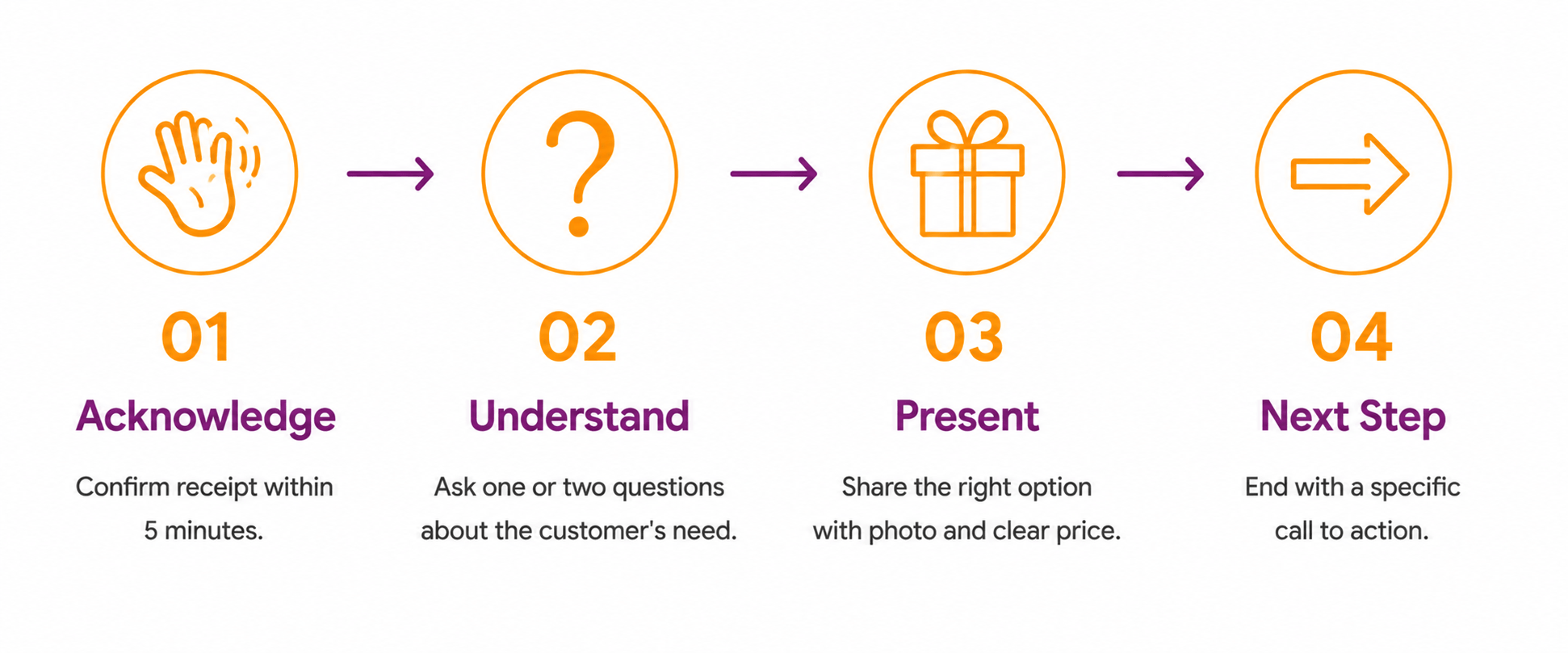
- A structured WhatsApp conversation follows four steps: acknowledge the inquiry, understand the customer’s need, present the right option, and give a clear next step
- WhatsApp Business features — catalogue, quick replies, broadcast lists, and labels — are free tools that directly improve conversion when set up and used consistently
- Follow-up is the most underused WhatsApp sales tool. Most sales that do not close on the first conversation close on the second or third, if the business follows up

Why Does WhatsApp Marketing Work for Small Businesses?
WhatsApp is where many Indian customers prefer to communicate with businesses. Therefore, it is where sales conversations happen most naturally for small businesses in India.
However, WhatsApp marketing is different from social media marketing. On Instagram, you post content and wait for customers to respond. On WhatsApp, the conversation is direct and immediate. Also, the customer who messages on WhatsApp has already expressed interest — they are a warm lead, not a cold audience member. This makes WhatsApp one of the highest-intent channels a small business can use.
In addition, WhatsApp conversations feel personal. A customer who receives a thoughtful, timely reply from a business on WhatsApp feels they are being attended to — not processed. This personal quality builds the trust that converts an inquiry into a sale and that sale into a repeat customer.
What Is the Most Common Reason WhatsApp Inquiries Do Not Convert?
The most common reason is response time. A customer who sends a WhatsApp inquiry is in a moment of active interest. However, if the reply comes two hours later, that moment has passed. The customer may have found an alternative, lost interest, or simply moved on.
Research consistently shows that response time is the single biggest driver of conversion in messaging-based sales. Therefore, the first step in WhatsApp marketing is not about what you say — it is about when you say it.
For small business owners who cannot be available instantly, WhatsApp Business solves this problem through automated greeting messages and away messages. A greeting message acknowledges the inquiry immediately, even if the full reply comes later. This keeps the customer engaged rather than leaving them in silence.
Set up your greeting message at business.whatsapp.com under Settings → Business Tools → Messaging Tools.
How Do You Structure a WhatsApp Sales Conversation?
A WhatsApp sales conversation that converts follows four steps. Each step builds on the previous one and moves the customer toward a decision.
Step 1: Acknowledge the inquiry immediately- The first reply should confirm that the message was received and set an expectation for when full information will follow. For example: “Hi [Name], thank you for reaching out. Let me share our options with you right away.”
However, if you are using an automated greeting, make sure the follow-up comes within 5 to 10 minutes. An automated message that is not followed up quickly feels like a dead end.
Step 2: Understand what the customer actually needs- Before sharing pricing or product details, ask one or two questions to understand the customer’s specific situation. For example: “Are you looking for a daily tiffin or just for specific days?” or “Is this for a personal order or a bulk corporate requirement?”
This step serves two purposes. First, it shows the customer that you are attentive to their specific need. Second, it prevents you from sending irrelevant information that the customer has to sift through.
Step 3: Present the right option clearly- Based on the customer’s answer, share the most relevant product or service option. Keep this focused — one or two options are easier to decide on than five. In addition, share a photo if the product is visual. A picture of the actual product, not a stock image, builds trust faster.
Also, state the price clearly. Customers who have to ask for the price are more likely to drop off before buying. Therefore, include pricing in the same message as the product information.
Step 4: Give a clear next step- End every product or service message with a specific call to action. “Would you like to place an order for Monday?” or “Shall I reserve one for you?” is more effective than “Let me know if you are interested.” The first asks for a decision. The second leaves the customer with nothing specific to do.
How Do You Use WhatsApp Business Features to Improve Sales?
WhatsApp Business has four features that directly support WhatsApp marketing and sales conversion. All four are free and available in the app.
| Feature | What It Does | How It Improves Sales |
| Catalogue | Displays your products or services with photos, descriptions, and prices | Customers can browse and select without asking for information separately |
| Quick replies | Saves responses to common questions for one-tap sending | Cuts reply time significantly for frequent inquiries |
| Broadcast lists | Sends a message to multiple saved contacts at once | Reaches existing customers with offers, new arrivals, and seasonal promotions |
| Labels | Organises chats by status — new inquiry, order confirmed, payment pending, delivered | Makes it easy to track which conversations need follow-up |
Set up your catalogue first. A customer who messages asking “what do you have?” can be sent your catalogue link directly, which shows all products with photos and prices without requiring you to type out a detailed reply each time.
Labels are the most underused feature. However, they are the key to systematic follow-up — which is the most powerful WhatsApp sales tool available to a small business.
How Do You Follow Up on WhatsApp Without Being Intrusive?
Most sales that do not close on the first WhatsApp conversation close on the second or third, if the business follows up at the right time in the right way.
When to follow up: Follow up 24 hours after a conversation that did not result in a decision. If the customer said “I will think about it,” a follow-up the next day keeps the conversation alive without being pushy.
What to say in a follow-up: Do not simply ask “Did you decide?” Instead, give the customer something new — a photo of a recent order, a reminder of an offer ending soon, or an answer to a question they may not have thought to ask. For example: “Hi [Name], just checking in. We have a fresh batch ready for this week — would you like to book your order?”
How many times to follow up: Follow up twice after an unresolved conversation. If the customer does not respond after two follow-ups, move on. Persistent follow-up beyond this damages the relationship rather than building it.
Using labels for follow-up: Label conversations as “Follow-up needed” immediately after any inquiry that did not convert. At the end of each day, review this label and send follow-ups. This habit takes 10 to 15 minutes daily and consistently recovers sales that would otherwise be lost.
How Do You Use WhatsApp Broadcasts for Marketing?
WhatsApp broadcast lists allow you to send a message to multiple customers simultaneously. However, each customer receives it as a personal message — not a group message — which maintains the one-to-one feel that makes WhatsApp effective.
Broadcasts work best for three purposes. First, announcing new products or arrivals to existing customers. Second, sharing festive or seasonal offers before Diwali, Eid, or other high-purchase occasions. Third, re-engaging customers who have not ordered recently with a relevant offer.
For broadcasts to work, customers must have saved your number in their contacts. Therefore, ask every new customer to save your number when they first contact you. This ensures future broadcasts reach them.
Keep broadcast messages short and specific. One clear offer, one photo if relevant, and one call to action. Long broadcasts are rarely read in full.
Conclusion
WhatsApp marketing converts inquiries into sales when three things are in place. First, a fast response that acknowledges the customer’s inquiry immediately. Second, a structured conversation that understands the customer’s need before presenting an option. Third, consistent follow-up that recovers conversations that did not close the first time.
Therefore, start by setting up your WhatsApp Business catalogue and quick replies. Then label every inquiry conversation so you can track which ones need follow-up. In addition, send one broadcast per week to your existing customer list with a relevant offer or update.
However, remember that WhatsApp sales depend on trust. Every conversation is an opportunity to build or damage the customer’s confidence in your business. A fast, clear, and personal reply builds more trust than any broadcast or automated message.
Your Next Step

Frequently Asked Questions
How do I use WhatsApp marketing to get more sales for my small business?
Set up WhatsApp Business with a complete profile, product catalogue, and quick replies for common questions. Reply to every inquiry within 5 minutes where possible. Follow a structured four-step conversation: acknowledge, understand the need, present the right option with clear pricing, and give a specific next step. Follow up 24 hours after any conversation that did not convert. Use broadcast lists to reach existing customers with new offers and seasonal promotions.
Why do WhatsApp inquiries not convert into sales?
The most common reasons are slow response time, unclear pricing, and no follow-up. A customer who waits hours for a reply often finds an alternative. A customer who has to ask for the price multiple times drops off. A customer who says “I will think about it” and is never followed up with does not return. Fixing these three issues — response speed, pricing clarity, and follow-up habit — converts significantly more inquiries into sales.
What WhatsApp Business features help with sales?
Four free features directly improve WhatsApp sales: the product catalogue, which shows all offerings with photos and prices; quick replies, which send standard answers to common questions instantly; broadcast lists, which reach multiple customers simultaneously with offers and updates; and labels, which track which conversations need follow-up. Setting up all four takes under two hours and improves conversion immediately.
How do I follow up with customers on WhatsApp without being pushy?
Follow up 24 hours after an unresolved conversation. Give the customer something new — a recent photo, a reminder of an offer, or additional information — rather than simply asking if they decided. Follow up a maximum of twice. After two unanswered follow-ups, move on. This approach keeps the conversation alive for customers who need more time while avoiding the persistence that damages trust.
How do I use WhatsApp broadcasts for small business marketing?
Build a broadcast list of existing customers who have saved your number. Send one broadcast per week with a specific, relevant message — a new product, a festive offer, or a limited availability update. Keep broadcasts short: one clear offer, one photo if relevant, and one call to action. Customers must have your number saved in their contacts for broadcasts to reach them, so ask every new customer to save your number when they first contact you.