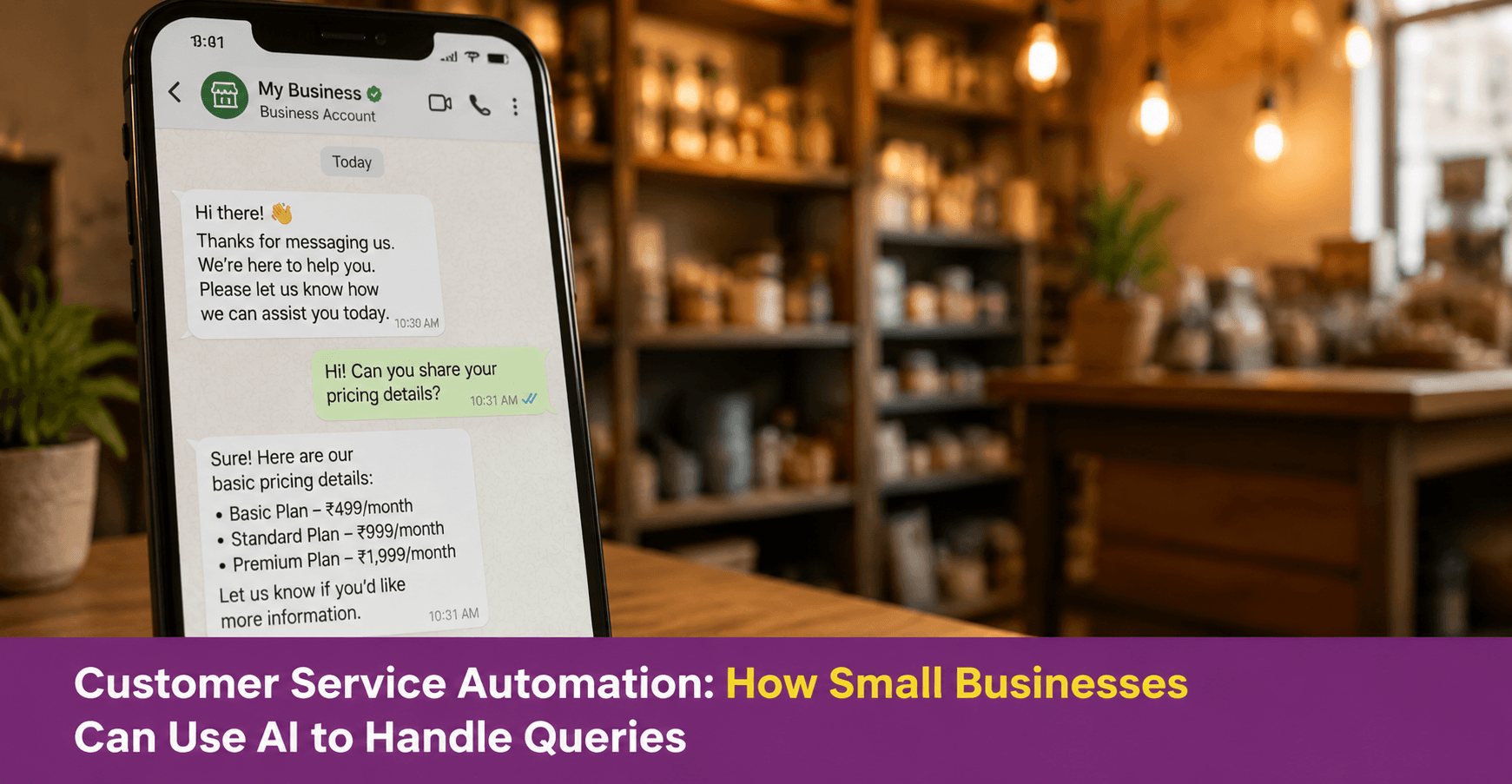
Customer Service Automation: How Small Businesses Can Use AI to Handle Queries
Customer service automation means using AI tools to handle common customer queries, send automatic replies, and manage routine communication without requiring the business owner to respond manually each time. For small business owners who handle every customer message themselves, automation reduces response time and frees up hours each week. It also ensures customers receive a reply even outside business hours. This guide covers which tasks AI can handle, how to set up basic automation, and what to keep doing manually.
Key Takeaways
- Customer service automation works best for queries that repeat most often. These include pricing, availability, delivery time, and order confirmation — because these have standard answers that need no judgement each time
- AI customer service works best on WhatsApp Business and through website chat, where customers already expect quick, direct responses
- Automation handles the routine. However, complaints, escalations, and relationship-building still require a human response
- Setting up automation does not require technical skills or coding. Most platforms provide built-in tools any business owner can configure in under an hour
- The goal of automation is not to replace the human element of customer service. It ensures the human element is used where it matters most

What Is Customer Service Automation for a Small Business?
Customer service automation uses software or AI tools to handle customer communication. It removes the need for manual input on every message. Instead of typing the same answer twenty times a day, the business sets up a system that replies automatically.
For a small business, this typically covers three types of automation. First, instant acknowledgement. A customer sends a message and immediately receives a reply confirming it was received, even if the full response comes later. Second, answers to frequently asked questions. Pricing, availability, delivery area, and operating hours are sent automatically when the customer asks. Third, follow-up sequences. These are messages sent automatically after an order is placed, after delivery, or after a service is completed.
Therefore, automation reduces the volume of messages that need active attention. This leaves the business owner free to focus on queries that genuinely need a personal response.
Which Customer Service Tasks Can AI Handle?
Not every customer interaction is suitable for automation. However, a significant portion of daily queries are repetitive and predictable. Those are exactly the ones automation handles well.
| Customer Query Type | Suitable for Automation | Why |
| “What are your prices?” | Yes | Standard answer, same every time |
| “Do you deliver to [area]?” | Yes | Fixed delivery zones with standard responses |
| “What are your timings?” | Yes | Operating hours do not change daily |
| “I placed an order — when will it arrive?” | Yes | Linked to order status with a standard reply format |
| “I want to place an order” | Partially | Automation can collect details; confirmation needs review |
| “I have a complaint about my order” | No | Requires empathy, investigation, and a personal response |
| “Can you customise this for me?” | No | Requires judgement about feasibility and pricing |
| “I want to speak to someone” | No | Route to human immediately |
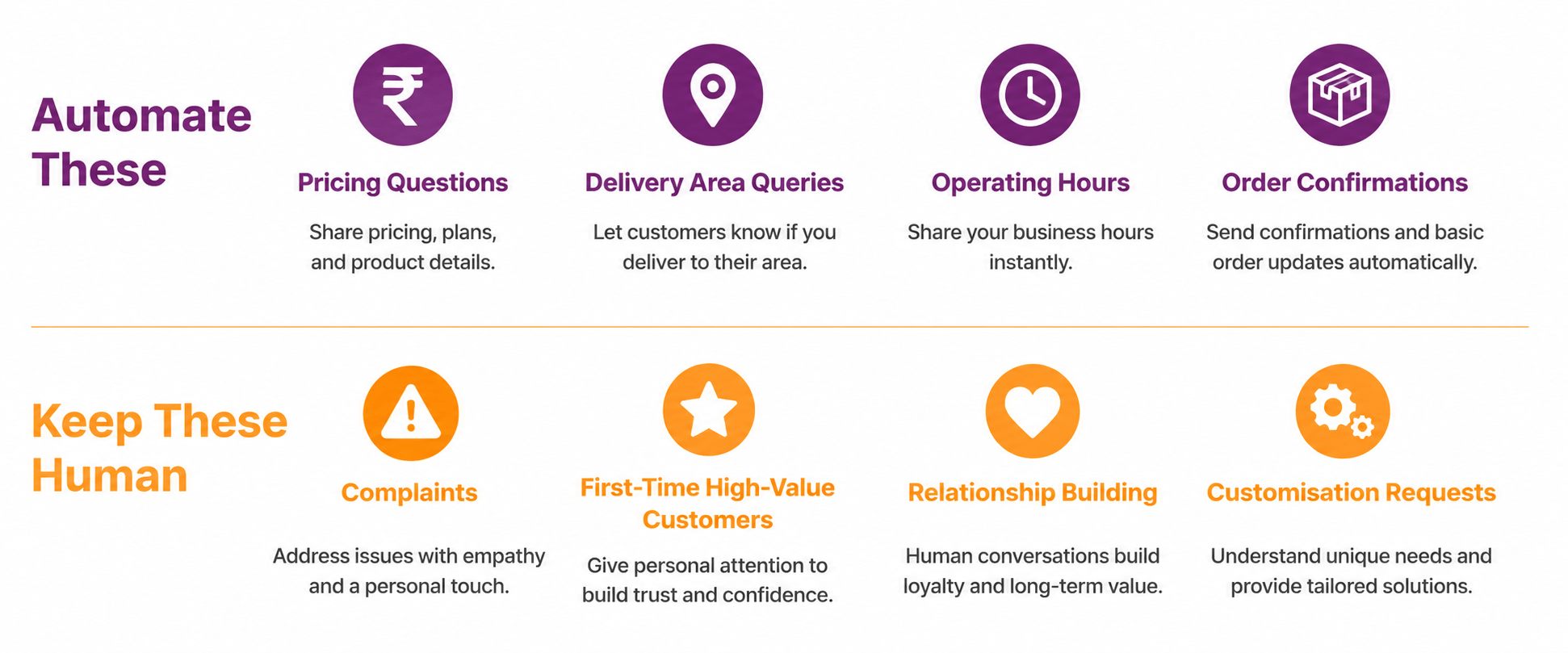
The principle is straightforward. If the answer is the same every time, automate it. If the answer depends on the specific customer’s situation, keep it human.
How Do You Set Up Customer Service Automation on WhatsApp?
WhatsApp Business has built-in automation features that most small business owners can configure in under an hour. Also, no technical skills or coding are required — the settings are available directly in the app.
Greeting message: Sent automatically when a customer messages your business for the first time. Use this to introduce the business and tell the customer what to expect. For example: “Welcome to [Business Name]. We will reply to your message within [time]. For quick answers, here is what we offer: [brief description].”
Away message: Sent automatically when a customer messages outside your business hours. Use this to set expectations and give the customer a next step. For example: “Thank you for reaching out. We are available [days and hours]. We will reply as soon as we are open. In the meantime, feel free to browse our catalogue.”
Quick replies: Saved responses to your most common questions. When a customer asks about pricing, you select the saved reply instead of typing the answer again. Quick replies are not fully automatic. You still select and send them. However, they cut response time from minutes to seconds.
Catalogue: A product or service listing attached to your WhatsApp Business profile. Customers can browse what you offer without sending a query, which reduces the volume of incoming product questions significantly.
Set these up under Settings → Business Tools → Messaging Tools in the WhatsApp Business app. For detailed setup guidance, visit business.whatsapp.com.
What Is Conversational AI for Customer Service and How Does It Work?
Conversational AI for customer service is a more advanced form of automation. An AI system understands the customer’s message and generates a relevant, contextual reply. It does not simply match a keyword and send a pre-written response.
In practice, a customer can type “I need a tiffin for two people starting Monday in Kothrud” and the system identifies it as an order inquiry. It picks up the location and start date, then responds with relevant information instead of a generic reply.
However, for most small businesses, the built-in automation features of WhatsApp Business and similar platforms are sufficient to start. Conversational AI becomes more valuable when query volume is too high for quick replies and away messages to keep up.
Therefore, start with basic automation. Move to conversational AI only when simpler tools are fully in use and query volume justifies the additional complexity.
How Do You Use AI to Handle Customer Queries Outside Business Hours?
One of the most practical uses of automation is ensuring customers receive a response at any hour, even when the business is closed.
Step 1: Set up an away message: Configure your WhatsApp Business away message to activate outside your business hours automatically. The message should acknowledge the query and set a clear expectation for when a full reply will come. Also, give the customer any immediate information they need, such as a link to your catalogue or your operating hours.
Step 2: Add a FAQ list to your business profile: Many customers ask the same questions before placing an order. A structured FAQ section on your WhatsApp profile or website lets customers find answers themselves without waiting. In addition, this reduces the volume of incoming queries significantly.
Step 3: Use a catalogue for product enquiries: If a customer messages asking “what do you have?” after hours, a WhatsApp catalogue linked to your profile gives them a complete product or service listing to browse. As a result, they can make a decision overnight and confirm their order when you are available the next morning.
Step 4: Set a response expectation clearly: The away message should always include a specific timeframe — “We will reply by [time] tomorrow morning” works better than a vague “We will get back to you.” A specific promise reduces the customer’s uncertainty and decreases the likelihood that they will look elsewhere.
What Should You Never Automate in Customer Service?
Automation improves efficiency. However, it cannot replace human judgement in situations where the customer needs to feel heard, not just informed.
Complaints and unhappy customers: A customer who has received a damaged product, a wrong order, or a delayed delivery needs a human response. An automated reply to a complaint — however polite — signals that the business does not take the issue seriously. Therefore, route any message containing words like “problem,” “wrong,” “damaged,” or “disappointed” to a human immediately.
First-time customers making a significant purchase: A new customer placing a large or unfamiliar order has questions that go beyond what an FAQ can answer. A personal reply builds the trust that converts an inquiry into a sale and that sale into a repeat customer.
Relationship-building interactions: A long-standing customer who shares positive feedback deserves a genuine personal reply. Automation that handles these interactions misses an opportunity to deepen a relationship that drives loyalty.
Anything involving pricing negotiation or customisation: These decisions require context, judgement, and sometimes compromise — none of which automation can handle reliably.
Conclusion
Customer service automation helps small business owners respond to common queries faster and handle after-hours messages professionally. In addition, it reduces the volume of repetitive responses they need to type each day.
Therefore, the practical starting point is WhatsApp Business. Set up a greeting message, an away message, and quick replies for your five most common questions. This alone handles a significant share of routine customer communication without any additional cost or technical setup.
However, keep the human element where it matters. Complaints, relationship-building, customisation requests, and first-time high-value customers all deserve a personal response. Automation handles the volume. You handle the relationships.
Your Next Step

Frequently Asked Questions
What is customer service automation for a small business?
Customer service automation uses software or AI tools to handle common queries automatically. It removes the need for a manual reply each time. For small businesses, this typically includes instant acknowledgement messages, automatic replies to frequently asked questions, and follow-up messages after orders. It reduces response time and frees the business owner to focus on queries that require personal attention.
How do I automate customer service on WhatsApp for my small business?
Use the built-in automation features in WhatsApp Business. Set up a greeting message for first-time contacts, an away message for outside business hours, and quick replies for common questions. Also, set up a product catalogue so customers can browse offerings without sending a query. These features are available under Settings → Business Tools in the WhatsApp Business app. No technical skills are required.
What types of customer queries should not be automated?
Complaints, negative experiences, customisation requests, and pricing negotiations should not be automated. These situations require empathy, judgement, and a personal response. Also, avoid automating interactions with first-time customers making significant purchases. A personal reply builds the trust that converts an inquiry into a sale.
What is conversational AI for customer service?
Conversational AI for customer service is an advanced form of automation. An AI system understands the context of a customer’s message and generates a relevant, specific reply instead of matching a keyword to a pre-written response. It is more capable than basic automation but also more complex to set up. For most small businesses, basic WhatsApp Business automation is sufficient to start.
How does customer service automation help small businesses outside business hours?
An away message on WhatsApp Business sends an automatic reply when customers message outside operating hours. This acknowledges the query and sets a clear response timeline. It also directs customers to available resources such as a product catalogue or FAQ list. As a result, customers feel attended to even when the business is closed. This reduces the likelihood that they will contact a competitor instead.