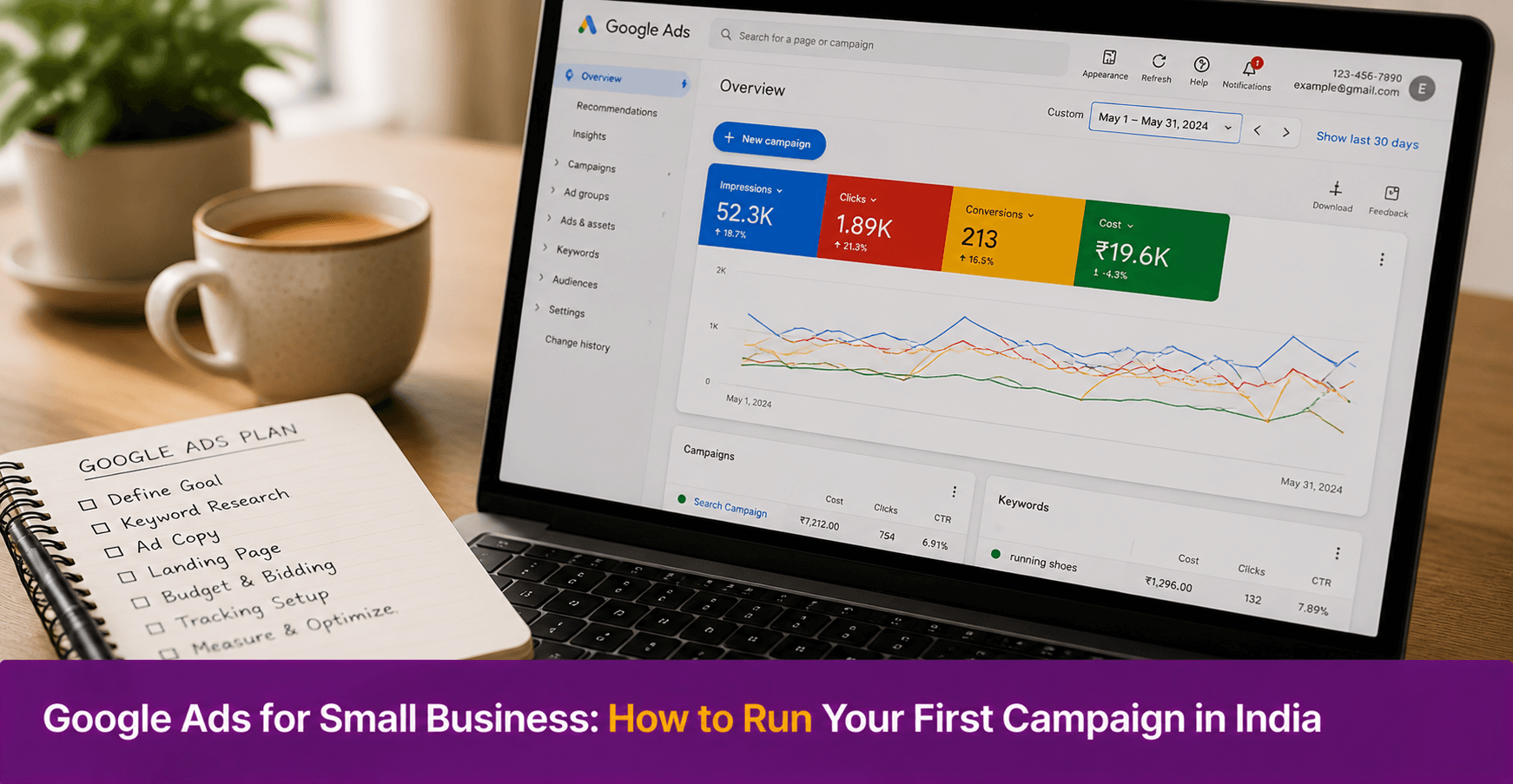
Google Ads for Small Business: How to Run Your First Campaign in India
Google Ads for small business means paying to show your product or service at the top of Google search results when someone searches for what you offer. For a small business in India running its first campaign, the process involves four steps: choosing the right campaign type, selecting the search terms you want to appear for, writing an ad, and setting a daily budget. This guide walks through each step clearly so you can run your first campaign without prior experience.
Key Takeaways
- Google Ads shows your business at the top of search results when someone searches for your product or service — you pay only when someone clicks your ad
- The most useful campaign type for a first-time small business advertiser is Search — it targets people who are actively looking for what you sell
- Start with a small daily budget of ₹300 to ₹500 per day. Run the campaign for two to three weeks before making changes based on data
- Keyword selection is the most important decision in a Google Ads campaign. Broad, generic keywords waste budget. Specific, intent-driven keywords convert better
- Google Ads works best when the page the ad links to — your website, landing page, or Google Business Profile — clearly matches what the ad promises
What Is Google Ads and How Does It Work for Small Businesses?
Google Ads is Google’s paid advertising platform. It allows businesses to show ads at the top of Google search results for specific search terms.
When someone in India searches “home tiffin service in Pune,” Google shows a list of results. The first two or three results are often paid ads. If your business has a Google Ads campaign targeting that search term, your ad can appear there. You pay Google only when someone clicks on your ad — this is called pay-per-click or PPC advertising.
For small businesses, this is valuable because it puts your business in front of people who are actively looking for what you sell. Therefore, unlike social media ads which show to a broad audience, Google Ads reaches people with a specific purchase intent at the moment they express it.
However, Google Ads requires budget management and regular monitoring. Without a clear strategy, a small business can spend its budget quickly on clicks that do not convert into customers. This guide helps you set up a campaign that uses budget efficiently.
What Types of Google Ads Are Available for Small Businesses?
Google offers several campaign types. However, only two are immediately relevant for small businesses starting out.
|
Campaign Type |
How It Works |
Best For |
| Search Ads | Text ads shown at the top of Google search results for specific keywords | Businesses targeting customers who search for their product or service |
| Performance Max | AI-driven ads shown across Google Search, Maps, YouTube, Gmail, and Display | Businesses with a Google Business Profile wanting broad local visibility |
| Display Ads | Image ads shown on websites and apps in Google’s network | Brand awareness — not recommended as a first campaign |
| Shopping Ads | Product images with price shown in search results | E-commerce businesses selling physical products online |
For a first campaign, start with Search Ads. They are the simplest to set up, the most directly tied to purchase intent, and the easiest to control in terms of budget and targeting.
How Do You Set Up Your First Google Ads Campaign Step by Step?
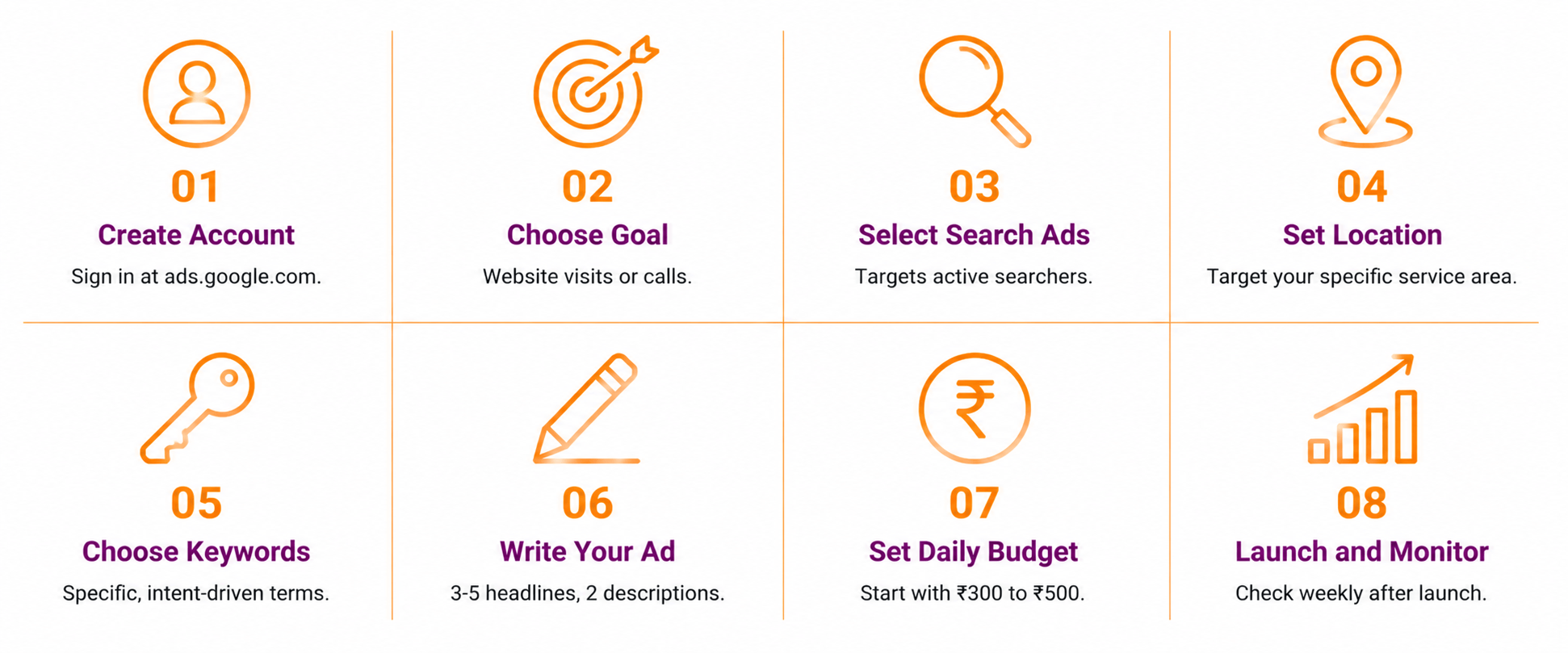
Step 1: Create a Google Ads account Go to ads.google.com and sign in with your Google account. Select your business country as India and your time zone and currency as Indian Rupees. Complete the basic business information.
Step 2: Choose your campaign goal Google will ask what you want to achieve. For most small businesses, the right goal is “Get more website visitors” or “Get more calls.” If you want customers to call your business directly, select calls. If you want them to visit your website or WhatsApp, select website visitors.
Step 3: Select Search as your campaign type Choose Search from the campaign type options. This ensures your ad appears in Google search results rather than on other Google properties.
Step 4: Define your target location Set your location targeting to the specific city or area your business serves. A tiffin service in Kothrud, Pune should target Kothrud — not all of Maharashtra. Precise location targeting ensures your budget reaches customers who can actually buy from you.
Step 5: Choose your keywords Keywords are the search terms your ad will appear for. Use Google Keyword Planner to find relevant keywords and their estimated search volumes.
Choose specific, intent-driven keywords rather than broad ones. “Tiffin service Kothrud Pune” is a better keyword than “food delivery.” Also, use match types to control how broadly your keywords trigger ads. Start with phrase match — this means your ad shows when the search includes your keyword phrase in order.
Add negative keywords to prevent wasted spend. For example, a tiffin service might add “restaurant,” “recipe,” and “free” as negative keywords so the ad does not show for irrelevant searches.
Step 6: Write your ad A Google Search Ad has three main parts: headlines, descriptions, and a display URL.
Write three to five headlines of up to 30 characters each. Include your primary keyword in at least one headline. For example: “Home Tiffin in Kothrud | Fresh Daily Meals | Order Now.”
Write two descriptions of up to 90 characters each. State your key benefit and include a call to action. For example: “Fresh home-cooked tiffin delivered daily in Kothrud. Starting ₹100 per meal. Call now to subscribe.”
Step 7: Set your daily budget Start with ₹300 to ₹500 per day. This is enough to gather meaningful data without significant risk. Google will not spend more than your daily budget on any given day.
Step 8: Add payment details and launch Add your payment method — credit card, debit card, or net banking. Google charges you after your ads run, not before. Review all settings, then launch the campaign.
What Are the Most Important Google Ads Settings for Small Businesses?
Three settings matter most for small businesses running their first campaign.
Location targeting: Always set this to the specific area your business serves. By default, Google may set targeting too broadly. Narrow it to your city, area, or pin code to avoid paying for clicks from people outside your service area.
Ad schedule: Run your ads only during the hours your business is available to respond. If you run a tiffin service that accepts orders until 10 AM, run ads from 7 AM to 10 AM. This avoids paying for clicks when you cannot convert them.
Keyword match types: Use phrase match or exact match for your first campaign. Broad match — the default — can trigger your ad for unrelated searches and waste budget quickly.
How Do You Measure Whether Your Google Ads Are Working?
Measure Google Ads performance using four key metrics available in your Google Ads dashboard.
|
Metric |
What It Measures |
What to Look For |
| Impressions | How many times your ad was shown | High impressions with low clicks suggest the ad headline needs improvement |
| Click-through rate (CTR) | Percentage of people who clicked after seeing the ad | Above 3% is good for Search Ads |
| Cost per click (CPC) | Average amount paid per click | Compare to your customer’s average order value to assess profitability |
| Conversions | Actions taken after clicking — calls, form submissions, purchases | This is the most important metric — track what actually leads to a customer |
Connect Google Analytics to your Google Ads account for deeper conversion tracking. Also, check your campaign performance weekly for the first month — not daily, as short-term fluctuations are normal.
What Common Google Ads Mistakes Should Small Businesses Avoid?
Setting the location too broadly: A business that serves one locality but targets all of India will spend its entire budget on clicks from people it cannot serve. Always narrow location targeting to your actual service area.
Using only broad match keywords: Broad match triggers your ad for a wide range of searches, many of which may be irrelevant. As a result, the budget depletes quickly on low-quality clicks. Use phrase match or exact match instead.
Sending traffic to a weak landing page: If someone clicks your ad and arrives at a page with no clear information about what you offer or how to contact you, they leave without converting. Therefore, the page your ad links to must directly match what the ad promises.
Stopping the campaign too early: Google Ads needs two to three weeks of data to optimise. Many first-time advertisers stop campaigns after a few days because results are not immediate. In addition, Google’s algorithm improves ad delivery over time — stopping early prevents this optimisation from happening.
Not using negative keywords: Without negative keywords, your ad may show for searches that have no purchase intent. For example, a business selling premium wedding cakes that does not add “cheap” or “free” as negative keywords will receive clicks from people not willing to pay for premium products.
Conclusion
Google Ads for small business is one of the most direct ways to reach customers who are actively searching for what you offer. However, it requires careful setup to avoid wasting budget on irrelevant clicks.
Therefore, start with a Search campaign, target your specific local area, choose specific intent-driven keywords, and set a modest daily budget of ₹300 to ₹500. Run the campaign for two to three weeks before making adjustments based on performance data.
In addition, make sure the page your ad links to clearly tells visitors what you offer, how to buy, and how to contact you. A well-run campaign with a weak landing page will not convert clicks into customers.
Your Next Step

FAQs
How do I run Google Ads for my small business in India for the first time?
Create an account at ads.google.com. Choose Search as your campaign type and set your goal to website visits or calls. Target your specific city or service area. Select specific, intent-driven keywords using Google Keyword Planner. Write three to five headlines and two descriptions. Set a daily budget of ₹300 to ₹500 and launch. Check performance weekly and make adjustments after two to three weeks of data.
How much does Google Ads cost for a small business in India?
Google Ads has no minimum budget. However, a daily budget of ₹300 to ₹500 is a practical starting point for most small businesses in India. The actual cost per click varies by keyword and competition — local, specific keywords typically cost less than broad, national ones. You pay only when someone clicks your ad, so impressions without clicks cost nothing.
What is the difference between Google Ads and Google Business Profile?
Google Business Profile is free and shows your business in Google Maps and local search results based on relevance and proximity. Google Ads is paid and places your business at the top of search results for specific keywords you choose. Both serve different purposes. Therefore, set up Google Business Profile first — it is free and builds local visibility — then use Google Ads to supplement it with targeted paid reach.
How long does it take to see results from Google Ads?
Search Ads can generate clicks from the day they launch. However, meaningful performance data takes two to three weeks to accumulate. During this period, Google’s algorithm learns which searches trigger the most valuable clicks. Also, conversions — calls, purchases, or form submissions — may take additional time depending on how quickly customers in your category make purchase decisions.
What keywords should a small business use for Google Ads in India?
Use specific, location-based keywords that reflect purchase intent. For example, “tiffin service Kothrud Pune” converts better than “food delivery.” Include your city or area name in your keywords to reach customers near your business. Use Google Keyword Planner to check search volumes for your chosen keywords. In addition, add negative keywords — terms you do not want your ad to appear for — to prevent irrelevant clicks.