Business Automation Tools: What Tasks Should a Small Business Automate Using AI?
Business automation means using software or AI tools to handle repetitive tasks without manual effort each time. For small business owners who are already aware of AI but unsure where to start with automation, the right approach is to identify which tasks consume the most time, require the least judgement, and follow a predictable pattern. Those are the tasks that automation handles best. This guide covers the most valuable automation opportunities for small businesses, which business automation tools to use for each, and how to prioritise where to begin.
Key Takeaways
- The best tasks to automate are repetitive, time-consuming, and follow a predictable pattern — invoicing, appointment reminders, social media scheduling, and customer inquiry responses all fit this criteria
- Business automation tools do not replace human judgement. Instead, they handle the routine parts of a task so the business owner can focus on decisions that require experience and context
- Start with one automation at a time. Automating too many processes simultaneously makes it harder to identify what is working and what needs adjustment
- Free and low-cost business automation tools — including ChatGPT, Zoho, WhatsApp Business, and Google tools — cover most small business automation needs without significant investment
- The return on automation is measured in time recovered, not money spent. Even one hour saved per day compounds into significant capacity over a month

What Is Business Process Automation and Why Does It Matter?
Business process automation is the use of technology to complete recurring tasks with minimal human intervention. In practice, this means a tool handles a step that would otherwise require the business owner or a team member to do it manually.
For example, sending an invoice after every sale is a recurring task. Without automation, someone creates the invoice, adds the customer details, and sends it each time. With automation, the invoicing software generates and sends the invoice automatically when a sale is recorded. The business owner does not need to touch it.
This matters because repetitive manual tasks accumulate. An hour spent on invoicing, follow-ups, and scheduling each day adds up to five hours a week. Therefore, automating these tasks gives that time back for customer acquisition, product development, or simply reducing the owner’s workload.
Which Tasks Should a Small Business Automate First?
Not every task is worth automating. However, the tasks that benefit most from automation share three characteristics. First, they happen frequently. Second, they follow the same steps every time. Third, they do not require judgement or personalisation.
Here are the highest-value automation opportunities for Indian small businesses:
|
Task |
Why Automate It | Tool to Use |
Cost |
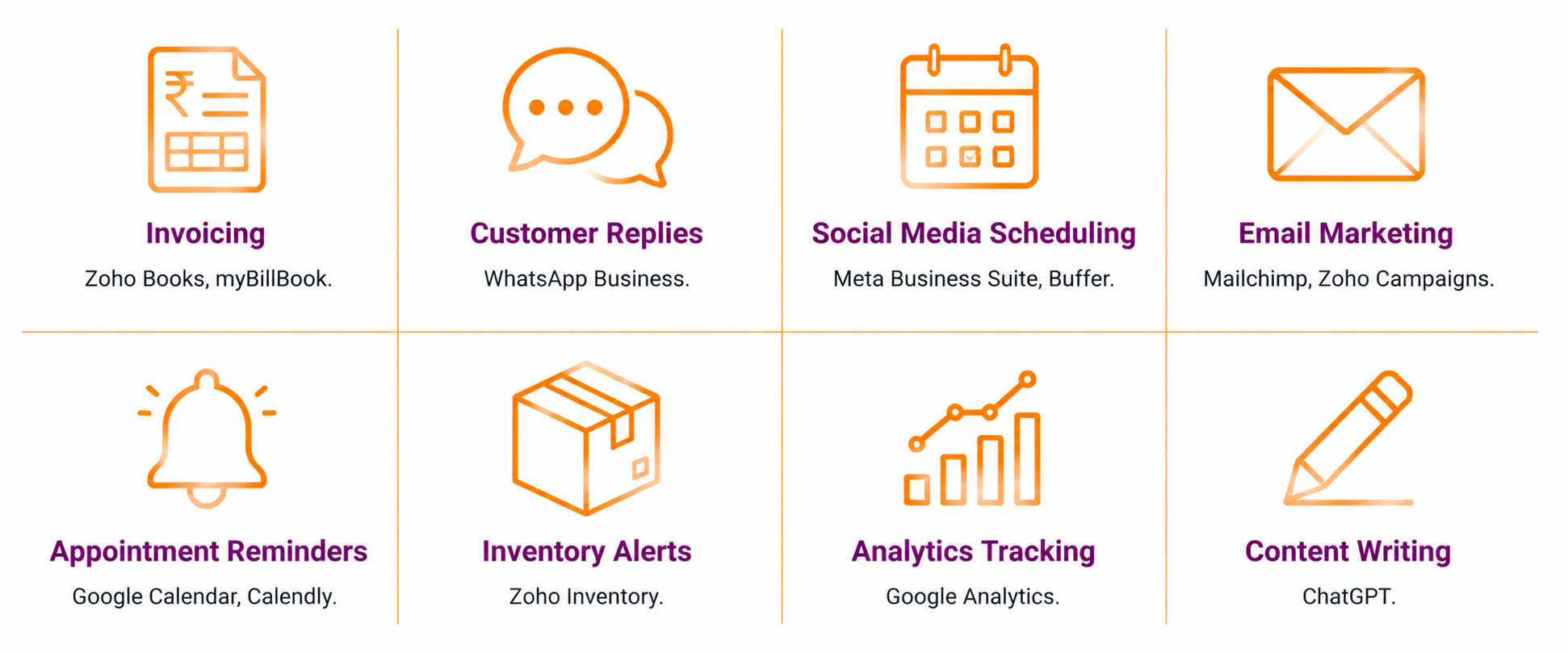
| Invoice generation and sending | Happens after every sale, always follows the same format | Zoho Books, myBillBook | Free plan available |
| Social media post scheduling | Fixed days and times, content prepared in advance | Meta Business Suite, Buffer | Free |
| Customer inquiry auto-replies | Common questions have standard answers | WhatsApp Business quick replies, chatbots | Free |
| Email marketing campaigns | Triggered by customer action or a set schedule | Mailchimp, Zoho Campaigns | Free plan available |
| Appointment reminders | Sent at fixed intervals before a scheduled appointment | Google Calendar, Calendly | Free |
| Inventory alerts | Triggered when stock falls below a set level | Zoho Inventory, myBillBook | Free plan available |
| Sales and website analytics | Data collected and reported automatically | Google Analytics, Meta Business Suite | Free |
| Content writing first drafts | Captions, product descriptions, email copy | ChatGPT | Free |
How Do You Automate Customer Responses on WhatsApp?
WhatsApp Business has built-in automation features that most small business owners underuse. In addition to taking orders and answering queries, these tools handle the most common customer interactions automatically.
Quick replies let you save responses to frequently asked questions. When a customer asks about pricing, delivery time, or product availability, you select the saved reply instead of typing it again. This is not full automation, but it significantly reduces the time spent on repetitive responses.
Away messages send an automatic reply when a customer messages outside your business hours. For example: “Thank you for reaching out. We are available Monday to Saturday, 10 AM to 6 PM. We will reply as soon as we are back.”
Greeting messages send automatically when a customer messages your business for the first time. This ensures every new customer gets an immediate response, even when you are busy.
For businesses that want more advanced automation, WhatsApp Business API allows integration with chatbots and CRM tools. However, the built-in features are sufficient for most small businesses starting with automation.
Set these up in the WhatsApp Business app under Settings → Business Tools → Messaging tools. Visit business.whatsapp.com for the latest setup guidance.
How Do You Automate Social Media Posting?
Social media automation means scheduling posts in advance so they publish automatically at the planned time. This removes the daily task of logging in to post and ensures content goes live consistently, even on busy days.
Meta Business Suite (free) allows scheduling for Facebook and Instagram from a single dashboard. You can schedule posts, Reels, and Stories up to three months in advance. Access it at business.facebook.com.
Buffer (free for up to three channels) works across Instagram, Facebook, and LinkedIn. It is useful for businesses managing multiple platforms.
The automation workflow is simple. First, batch all content creation into one weekly session. Then schedule the week’s posts in Meta Business Suite or Buffer. As a result, the posting schedule runs automatically for the rest of the week without any daily involvement.
For a structured content planning approach, refer to deAsra’s guide on the [Instagram Content Calendar] [URL to be added].
How Do You Automate Invoicing and Payments?
Invoice automation means the software generates and sends invoices automatically, tracks payment status, and sends reminders when payments are overdue. Because this happens without manual effort each time, it frees significant administrative time for businesses with regular billing.
Zoho Books (free for up to 1,000 invoices per year) allows automatic invoice generation when a sale is recorded, automatic payment reminders at set intervals, and real-time tracking of paid and unpaid invoices.
myBillBook suits small traders and retailers who need simple billing and inventory in one place. The free plan covers basic invoicing and payment tracking.
Both tools integrate with India’s GST requirements. Therefore, invoices are automatically formatted to meet FSSAI and tax compliance standards.
For a broader overview of AI tools that support accounting, refer to deAsra’s guide on [AI in Accounting] [URL to be added].
How Do You Start With Business Automation Without Getting Overwhelmed
The most common mistake is trying to automate everything at once. Instead, follow a simple sequence.
First, identify the one task that takes the most repetitive time each week. For many small businesses, this is either customer inquiry responses or invoice generation.
Second, choose the right tool for that task from the list above. Set it up and use it consistently for two to four weeks.
Third, once the first automation is running smoothly, identify the next task. Add automations one at a time.
Also, measure the time saved after each automation is live. If a tool saves 30 minutes a day on invoice follow-ups, that is visible, motivating evidence that the automation is working.
Finally, review your automation setup every quarter. Business processes change, and automations that made sense six months ago may need adjustment.
Conclusion
Business automation tools give small business owners the ability to run recurring processes without manual effort each time. The tasks best suited to automation are repetitive, predictable, and frequent. These include invoicing, customer inquiry responses, social media scheduling, and email marketing.
However, automation works best when introduced gradually. Start with one task, establish the habit, and measure the time it recovers. Therefore, build automation into the business one step at a time rather than attempting a complete overhaul.
In addition, the tools that cover most small business automation needs are free. WhatsApp Business, Meta Business Suite, Google Analytics, ChatGPT, and Zoho Books together handle the majority of automation priorities at zero cost.
Your Next Step
FAQs
What tasks should a small business automate first?
Start with the tasks that happen most frequently and follow the same steps every time. For most small businesses, these are customer inquiry responses via WhatsApp, invoice generation after sales, and social media post scheduling. Each of these has a free tool that handles the automation without technical setup. Because these tasks consume daily time, automating them produces the most immediate impact.
What are the best free business automation tools for small businesses in India?
WhatsApp Business handles customer reply automation at no cost. Meta Business Suite automates social media scheduling for Facebook and Instagram. Zoho Books automates invoicing and payment reminders. ChatGPT automates content writing for captions, emails, and product descriptions. Google Analytics automates performance tracking. However, the right combination depends on which tasks consume the most time in your specific business.
Is business process automation suitable for very small businesses?
Yes. Business process automation does not require technical expertise or large software budgets. Most automation tools used by small businesses are free and designed for non-technical users. In addition, even basic automation — such as WhatsApp quick replies and scheduled Instagram posts — saves meaningful time each week. Start with free tools and simple tasks before moving to more complex automation.
How does AI automation differ from regular business automation?
Regular business automation follows fixed rules — if this happens, do that. AI automation learns from patterns and handles more varied inputs. For example, a fixed automation sends the same invoice template every time. An AI tool like ChatGPT can draft a different, personalised email response based on what the customer wrote. However, for most small business tasks, rule-based automation is sufficient and simpler to set up.
How do I know if a task is worth automating?
A task is worth automating when it happens at least three to four times a week, follows the same steps each time, and does not require judgement or personalisation. If you find yourself doing the same thing repeatedly in the same way, automation can handle it. Therefore, track which tasks you repeat most often and start there.