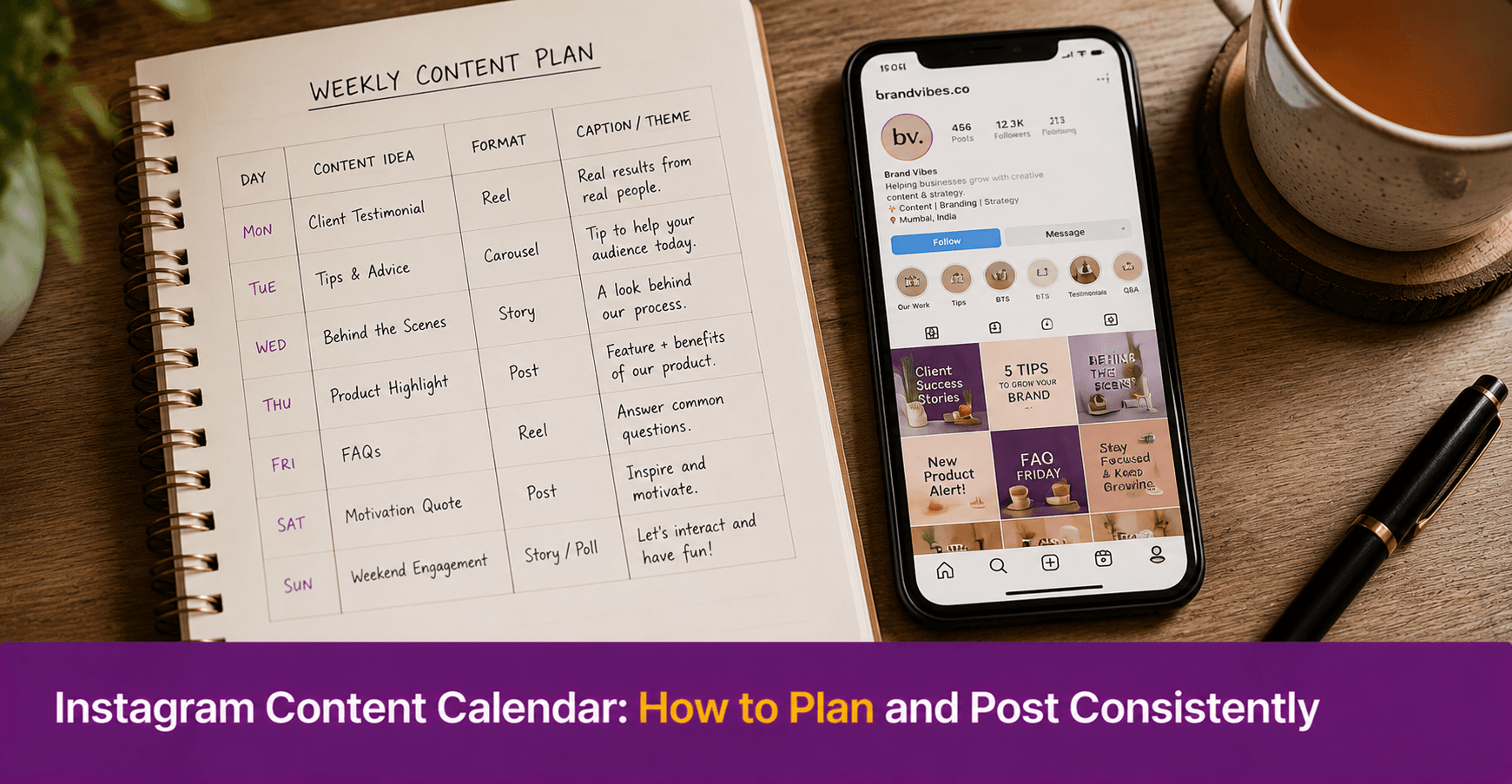
Instagram Content Calendar: How to Plan and Post Consistently
An Instagram content calendar is a simple planning tool that tells you what to post, when to post it, and what type of content each post will be. For small business owners who post when they remember rather than on a regular schedule, a content calendar removes the daily decision-making that makes consistent posting feel difficult. This guide covers how to build a practical Instagram content calendar, what to include in it, and a simple template you can start using this week.
Key Takeaways
- An Instagram content calendar solves the most common posting problem for small businesses — inconsistency caused by not knowing what to post on any given day
- A simple content calendar only needs four columns: date, content type, caption draft, and status
- Planning content one week at a time is more sustainable than planning a full month at once, especially when starting out
- A content calendar works best when it includes a fixed mix of content types — product posts, tips, customer stories, and promotional offers — so the feed does not feel repetitive
- Batching content creation — writing all captions and preparing all visuals in one sitting per week — saves more time than creating each post individually on the day

Why Do Small Businesses Post Inconsistently on Instagram?
Inconsistent posting usually comes from one problem. There is no plan.
Without a plan, however, posting decisions happen under pressure. You open Instagram, realise you have not posted in four days, and either post something hurried or decide to post tomorrow instead. Tomorrow becomes next week. The account goes quiet.
Therefore, a content calendar solves this problem at the root. When you know in advance what you are posting and when, the daily decision is gone. You do not need to think about what to write. You just follow the plan.
For small business owners already posting but not regularly, a content calendar also helps identify why gaps happen. Sometimes the gap is time. Sometimes it is running out of ideas. The calendar addresses both. First, it allocates time for content creation. Second, it plans ideas in advance.
What Should an Instagram Content Calendar Include?
A practical content calendar for Instagram needs five elements. Together, they give you everything you need to plan, create, and publish content consistently. In addition, they make the process repeatable each week.
- Posting date: The specific date each post goes live. Start with three posts per week — Monday, Wednesday, and Friday — until consistency is established. Then increase frequency if the schedule feels sustainable.
- Content type: The category the post falls into. Common content types for small businesses include: product showcase, tip or educational content, behind-the-scenes, customer story or testimonial, and promotional offer. Rotating through these types keeps the feed varied.
- Topic or idea: A one-line description of what the post is about. For example: “Show the process of packaging a custom order” or “Share 3 tips for storing our product at home.”
- Caption draft: A draft of the caption, written in advance. This does not need to be final. Instead, it is a starting point that removes the blank-page problem on posting day.
- Status: Whether the post is planned, drafted, designed, scheduled, or published. This single column shows you at a glance where each post stands in the production process.
What Is a Simple Instagram Content Calendar Template?
Here is a basic one-week content calendar template. Copy this into a Google Sheet or a notebook at the start of each week.
|
Date |
Content Type | Topic / Idea | Caption Draft | Visual Status |
Post Status |
| Monday | Product showcase | New stock arrival — show three new kurtas | “New week, new arrivals. Which one is your favourite?” | To design | To post |
| Wednesday | Tip | 3 ways to style a cotton kurta for work | “Cotton doesn’t have to mean casual. Here’s how to wear it to the office…” | To design | To post |
| Friday | Behind the scenes | Packing orders for the weekend | “Every order leaves with care. Here’s a look at our Friday packing process.” | To photograph | To post |
Also, this template works for any product or service business. Replace the examples with your own products, your own tips, and your own behind-the-scenes moments.
How Do You Build an Instagram Content Calendar Step by Step?
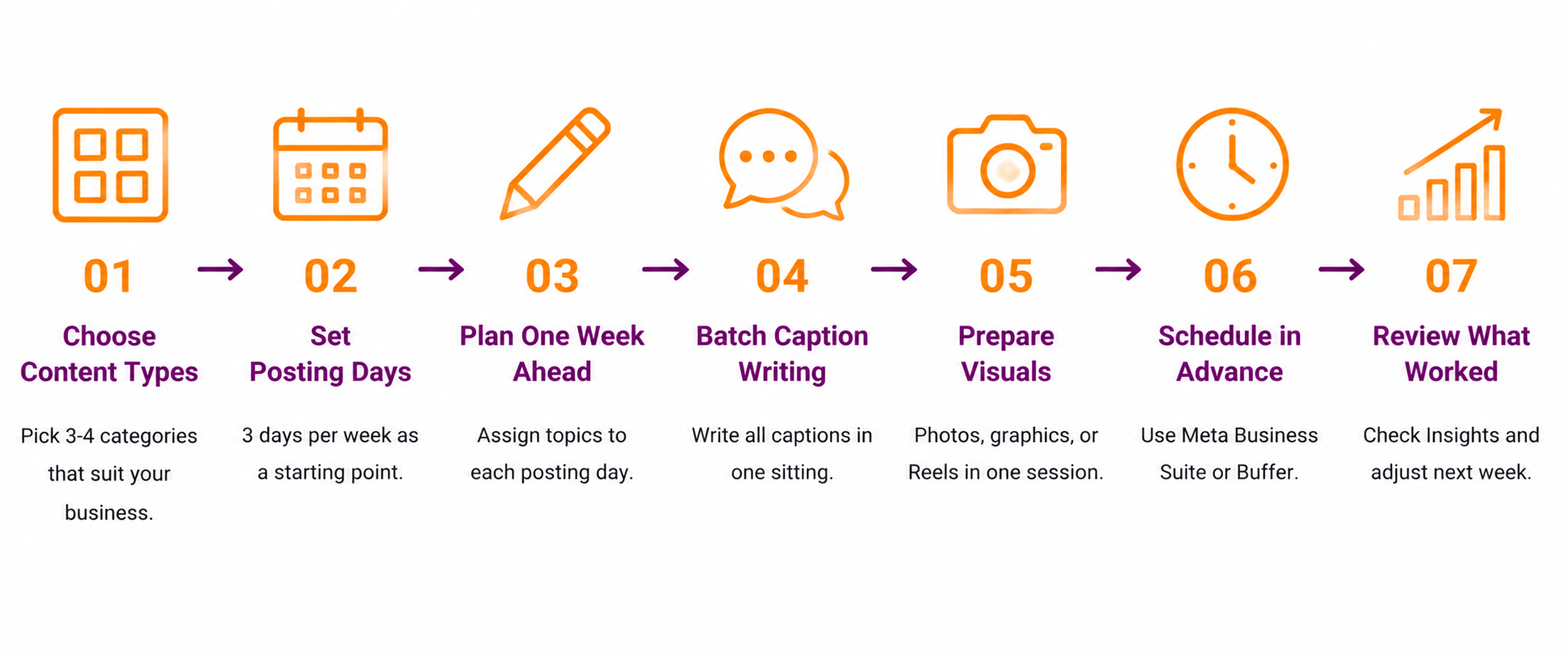
Step 1: Choose your content types- Decide on three to four content types that make sense for your business. A home bakery might use: product photos, recipe tips, customer celebrations, and festive offers. A clothing retailer might use: new arrivals, styling tips, customer photos, and sale announcements. Write these down. These then become the repeating categories in your calendar.
Step 2: Decide your posting frequency- Three posts per week is a realistic and sustainable starting point for most small businesses. Choose specific days — for example, Tuesday, Thursday, and Saturday — and treat them as fixed posting days.
Step 3: Plan one week at a time- At the start of each week, fill in the calendar for that week. Assign one content type to each posting day. Write a one-line topic for each post. This takes about 15 minutes and gives you a clear plan for the week.
Step 4: Batch your caption writing- Once the week’s topics are planned, write all three captions in one sitting. Use AI tools like ChatGPT to generate a first draft if you are short on time. Edit each caption to match your brand voice before adding it to the calendar.
Step 5: Prepare your visuals in advance- Take photos, design graphics in Canva, or record Reels on the same day you write captions. Doing everything in one sitting means you are never scrambling for content on the day it needs to go live.
Step 6: Schedule using Meta Business Suite or Buffer- Finally, once captions and visuals are ready, schedule all three posts for the week using Meta Business Suite (free) or Buffer (free for up to three channels). As a result, scheduling removes the need to remember to post on the day — the platform handles it automatically.
Meta Business Suite is available free at business.facebook.com and connects directly to your Facebook and Instagram accounts.
Step 7: Review what worked at the end of the week- After the week’s posts are live, check Instagram Insights to see which post got the most reach, saves, or profile visits. Use this information to guide your content choices for the following week.
What Content Types Work Best for Small Businesses on Instagram?
Not all content types perform equally. Here is a breakdown of the most effective formats for small business Instagram accounts, based on how Instagram currently distributes content:
| Content Type | Organic Reach | Best For |
| Reels | High — reaches non-followers via Explore | New audience growth |
| Carousels | Medium — high save rate keeps content circulating | Tips, product showcases, step-by-step guides |
| Static posts | Low — primarily reaches existing followers | Announcements, testimonials, simple product photos |
| Stories | Very low reach but high engagement from existing followers | Daily updates, polls, Q&As, offers |
Therefore, include at least one Reel per week in your content calendar. Reels are the primary format through which Instagram distributes content to new audiences. However, also refer to Instagram’s own Instagram for Business page for the latest guidance on content formats, as the platform updates its algorithm regularly.
How Do You Stay Consistent With Your Instagram Content Calendar?
Consistency is easier to maintain when the system is simple. However, it needs to be simple enough to follow even on busy weeks.
First, plan before the week starts, not during it. A Sunday evening or Monday morning planning session of 15 minutes sets the week up clearly.
Second, create a content bank. Whenever you have a good product photo, an interesting customer interaction, or a useful tip, add it to a notes document or a folder on your phone. In addition, this gives you material to draw from when planning the week’s calendar.
Third, use scheduling tools so you are not dependent on remembering to post. Meta Business Suite and Buffer both allow you to queue posts in advance. As a result, your posting schedule runs without requiring daily attention.
Fourth, give yourself a simple rule for missed posts. If you miss a planned post, simply skip it and move on — do not try to catch up by doubling posts the next day. Consistency over a month matters more than any single missed post.
 Conclusion
An Instagram content calendar removes the two biggest barriers to consistent posting for small businesses: not knowing what to post and not having time to create it on the day.
Therefore, the solution is to move creation and scheduling to one dedicated session per week. Plan the topics, write the captions, prepare the visuals, and schedule everything in one sitting. The rest of the week, Instagram runs itself.
First, start with a simple three-post-per-week plan, one week at a time. Once that becomes a habit, then add a fourth post or a Reel. Build complexity only after consistency is established.
Your Next Step
deAsra’s free Social Media Marketing Checklist gives you a complete framework for setting up and managing your Instagram presence — from profile optimisation to content planning and performance tracking. It is built specifically for Indian small business owners.

FAQs
What is an Instagram content calendar and why do I need one?
An Instagram content calendar is a planning tool that shows what you will post, when you will post it, and what type of content each post will be. You need one because it removes the daily decision of what to post. Without a plan, most small businesses post inconsistently. A content calendar makes consistency easier by turning posting into a scheduled habit rather than a daily improvisation.
How do I create a simple Instagram content calendar for my small business?
Choose three to four content types that suit your business. Decide on three posting days per week. At the start of each week, assign one content type to each posting day and write a one-line topic for each post. Write all captions in one sitting, prepare visuals, and schedule everything using Meta Business Suite or Buffer. The whole process takes about 30 to 45 minutes per week.
How many times a week should a small business post on Instagram?
Start with three posts per week. This is sustainable for most small business owners and gives the account enough activity to maintain visibility. Once three posts per week feels routine, add a fourth post or introduce a weekly Reel. Posting consistency over three months matters more than posting frequency in any single week.
What content types should I include in my Instagram content calendar?
Include a mix of product showcases, educational tips, behind-the-scenes content, customer stories, and promotional offers. Rotate through these types each week so the feed stays varied. Also, include at least one Reel per week — Reels receive the highest organic reach on Instagram and are the primary format for reaching new audiences.
What is the best free tool to schedule Instagram posts for a small business?
Meta Business Suite is the best free option for businesses already using Facebook and Instagram. It is free, connects directly to both platforms, and allows you to schedule posts and Reels in advance. Buffer is also free for up to three channels and suits businesses posting across multiple platforms. Both tools are available without a paid subscription.