Creating a Successful Facebook Business Page: A Step-by-Step Guide
Imagine a small embroidery shop in Pune or a family-owned jewelry shop in Satara. These businesses have thrived through word-of-mouth and local reputation. But now, they aim to reach a broader audience, including international markets. In today’s digital age, expanding their reach beyond local boundaries necessitates a robust online presence. Enter the Facebook Business Page.
Setting up a Facebook Business Page can transform a local business into a global entity. This guide will walk you through the process step-by-step, ensuring that your business maximizes its online potential.
What is a Facebook Business Page?
A Facebook Business Page is a public profile created for businesses, organizations, and public figures to promote themselves on Facebook. Unlike personal profiles, these pages allow brands to share posts, photos, and videos, run ads, and connect directly with customers.
Why Use Facebook for Business?
Using Facebook for business offers numerous benefits. It provides a platform to reach a broad audience, engage with customers, and build brand loyalty. Additionally, it allows businesses to run targeted ads and utilize Facebook Commerce tools to drive sales.
Step-by-Step Guide on How to Create a Facebook Business Page
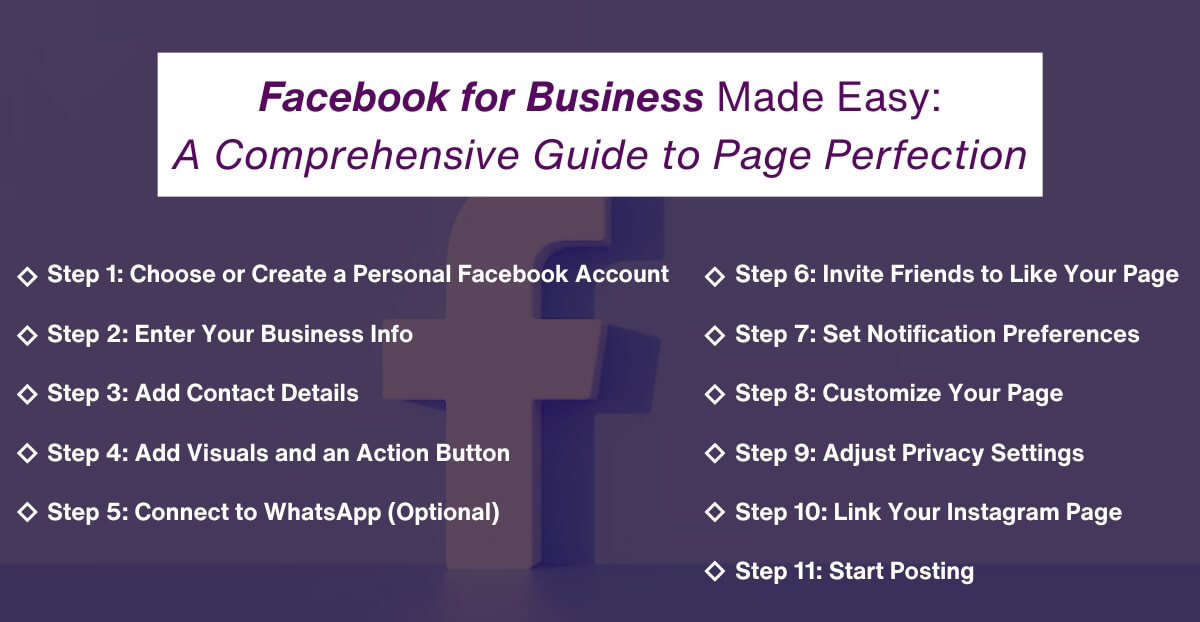
Step 1: Choose or Create a Personal Facebook Account
First, you need a personal Facebook account to create and manage your Facebook Business Page. You can either use your existing account or create a new one specifically for business purposes. Once logged in, navigate to the Pages menu and click “Create new page.”
Step 2: Enter Your Business Info
Next, you’ll need to fill in your business information. This includes your Page name (usually your business name), category (e.g., Food & Drink, Media, Footwear Store), and an optional bio section. Including keywords related to your business can help with social SEO. For instance, a coffee shop in Pune might write, “Pune’s favorite coffee shop.”
Step 3: Add Contact Details
Enter your business contact information, including your website URL, phone number, and email address. You can also add your physical location and operating hours if applicable. This information will be publicly available on your Facebook Business Page.
Step 4: Add Visuals and an Action Button
Visuals are crucial for making your Facebook Business Page attractive. Upload a profile picture, preferably your logo, and a cover image representing your brand. Additionally, add an action button such as “Start Order,” “Send Message,” “Contact us” or “Get Tickets” to encourage user interaction.
Step 5: Connect to WhatsApp (Optional)
If you use WhatsApp for business communication, you can link it to your Facebook Business Page. Enter your WhatsApp number and a confirmation code to complete the connection.
Step 6: Invite Friends to Like Your Page
Before launching your Facebook Business Page to the public, invite your Facebook friends to like it. This initial boost can help build your audience.
Step 7: Set Notification Preferences
Enable notifications for your Facebook Business Page to stay updated on all activities and interactions. You can also opt-in to receive marketing and promotional materials from Meta.
Step 8: Customize Your Page
Further, customize your Facebook Business Page by clicking “Edit details.” You can add more information about your business, manage which sections are publicly visible, and enter additional contact information.
Step 9: Adjust Privacy Settings
Go to Settings and then Privacy to adjust your Facebook Business Page privacy settings. Decide whether you want others to post on your page and if you’re comfortable with followers leaving reviews.
Step 10: Link Your Instagram Page
If you have an Instagram Business Page, connect it to your Facebook Business Page. This allows you to manage both platforms in one place and sync content across both.
Step 11: Start Posting
Now that your Facebook Business Page is set up, start posting content. Use a mix of text, photos, videos, and links to engage your audience. Aim to provide value by entertaining, informing, or inspiring your followers.
Do you still need expert assistance? deAsra’s social media management services will ensure your business page completes all these crucial steps!
Adding an Admin to Your Facebook Page
Adding an admin to your Facebook Business Page is essential for effective page management, especially as your business grows. An admin can help share the workload by managing posts, responding to messages, and monitoring engagement. This ensures that your page remains active and responsive, which is crucial for maintaining a strong connection with your audience.
Step 1: Log In as Your Page
Access your Facebook Business Page from your personal account.
Step 2: Open the Page Access Menu
In the Page Access menu, grant permissions for Facebook access (full control) or task access (limited to specific tasks).
Step 3: Add New Admins
Click “Add new,” search for the admin’s name, and assign the appropriate access level. For financial roles, add admins in Meta Business Suite with either employee or business admin access.
Facebook ads and its benefits
Managing Facebook ads can seem daunting for small businesses, but it doesn’t have to be. Our Comprehensive Guide to Facebook Ads Management offers clear, step-by-step instructions to help you create effective ad campaigns. From understanding Facebook’s ad formats to targeting the right audience and analyzing performance, this guide covers all the essentials. Empower your business with the tools and knowledge needed to maximize your advertising ROI on the world’s largest social network.
Conclusion
By following these steps, you can create a professional and effective Facebook Business Page. This will help you connect with your audience, promote your brand, and grow your business. Whether you’re a small local shop or a large international company, Facebook offers the tools you need to succeed. So, get started today and see how Facebook can transform your business.
FAQs
1. Why is a Facebook Business Page important for my small business?
A Facebook Business Page is crucial for small businesses because it provides a platform to reach a vast audience. It allows you to engage with customers, showcase your products or services, and build brand awareness. With billions of users on Facebook, having a business page enhances your visibility and can drive traffic to your website or physical store.
2. How often should I post on my Facebook Business Page?
Consistency is key when managing a Facebook Business Page. Aim to post at least 2-3 times a week to keep your audience engaged. Regular posts help maintain visibility in your followers’ news feeds and encourage ongoing interaction with your content. Quality is just as important as quantity, so ensure your posts are valuable and relevant to your audience.
3. Can I run ads from my Facebook Business Page?
Yes, you can run ads directly from your Facebook Business Page. Facebook Ads allow you to target specific demographics, interests, and behaviors, making your advertising efforts more effective. Ads can help you reach a larger audience, promote special offers, and drive traffic to your website or online store.
4. What type of content should I post on my Facebook Business Page?
The content you post should be diverse and engaging. Share updates about your business, photos, and videos of your products or services, customer testimonials, and relevant industry news. Interactive content, like polls and live videos, can also increase engagement. The goal is to provide value to your audience while showcasing your business.
5. How can I measure the success of my Facebook Business Page?
Facebook provides various tools to measure the success of your business page. Use Facebook Insights to track metrics such as page views, post reach, engagement, and follower growth. These insights help you understand what content resonates with your audience and adjust your strategy accordingly. Regularly reviewing these metrics will help you improve your page’s performance over time.